
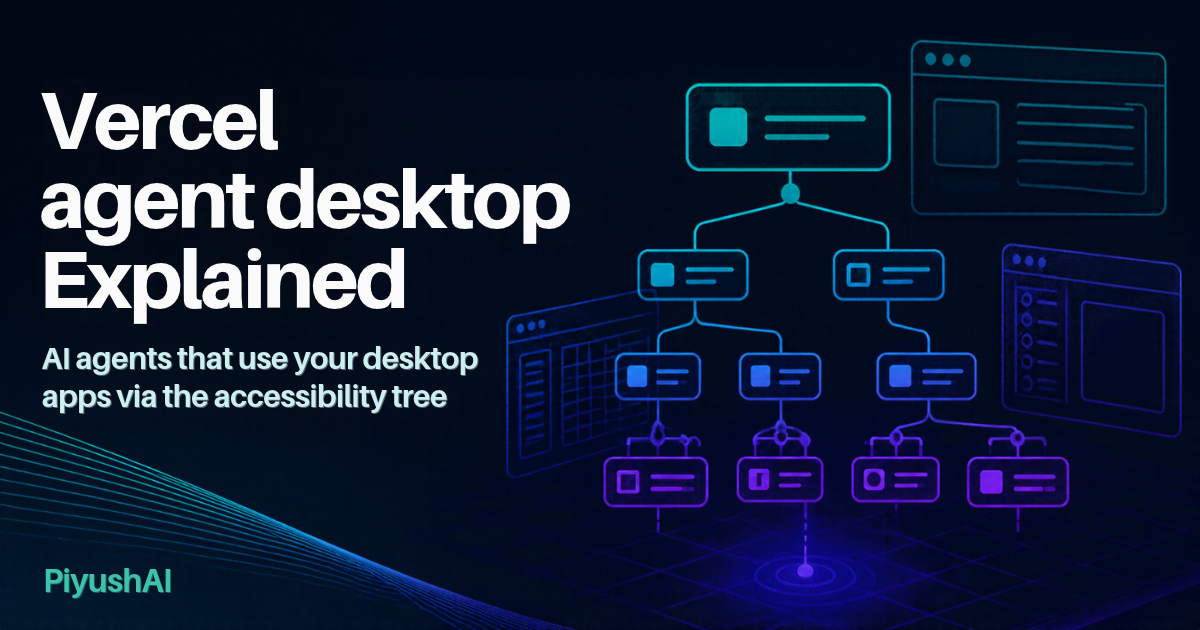
Last updated: 4 November 2026
For two years, “computer use” by AI agents has mostly meant one thing: the model takes a screenshot, guesses where a button is, clicks a pixel coordinate, then takes another screenshot to see what happened. It works, but it is slow, expensive in tokens and fragile whenever a window moves or the display scaling changes.
On 30 October 2026, Vercel Labs shipped version 1.0.2 of an open-source tool called agent-desktop that takes a different route. Instead of looking at pixels, it reads the operating system’s accessibility tree, the same structured description of buttons, text fields and menus that screen readers use for visually impaired people. Your AI agent gets a JSON list of named, clickable elements and acts on them directly. Within days it became one of the fastest-rising repositories on GitHub, gaining several thousand stars a day according to daily trending trackers.
In this post I explain what agent-desktop actually is (and is not), how it works, how to install it the official way, what the numbers really show, the privacy and security risks of letting an agent drive your desktop, and why I think every CS, data science and cybersecurity student in India should understand the idea behind it.
Quick summary
- What it is: A command-line tool (CLI) and C library, written in Rust, that lets any AI agent with shell access read and operate native desktop apps on macOS, Windows and Linux.
- What it is not: It is not an AI model and not an autonomous agent. It contains no LLM. Your existing agent (Claude Code, Codex, Cursor or similar) does the thinking.
- Key idea: Uses OS accessibility APIs (AX on macOS, UI Automation on Windows, AT-SPI on Linux) rather than screenshots and pixel matching.
- Licence and install: Apache-2.0, free. Official install is
npm install -g agent-desktop. - Release timeline: v1.0.0 and v1.0.1 on 28 October 2026, v1.0.2 on 30 October 2026, after pre-1.0 releases through September and October.
- Headline claim: 78% to 96% fewer tokens on dense apps compared with full tree dumps. These figures are self-reported by the project; no independent benchmark exists yet.
- Main limit: It only works as well as an app’s accessibility support. Games, custom-drawn interfaces and some Electron apps expose little or nothing.
What is agent-desktop, in plain language?
Think of every app on your laptop as a building. A screenshot-based agent is like someone looking at a photo of the building and guessing which window is the door. agent-desktop instead hands the agent the building’s floor plan, with every door, switch and room labelled.
That floor plan already exists. Operating systems maintain an accessibility tree so that screen readers can tell a blind user “Button: Send” or “Text field: Search”. agent-desktop exposes this tree to AI agents in a compact, machine-readable form, and lets them press those buttons and type into those fields through the same accessibility interfaces.
It comes from Vercel Labs, the experimental arm of Vercel (the company behind Next.js). It is a sibling of the earlier agent-browser project, which does something similar for web pages. Chris Tate of Vercel summed up the new tool as “agent-browser, for your whole computer” (as quoted by AgentConn).
How agent-desktop works
The design is a simple loop that the agent controls: observe, act, verify.
- Snapshot. The agent runs
agent-desktop snapshoton an app or window. The tool walks the accessibility tree and returns JSON. Each element the agent can act on gets a ref, a reference tied to that specific snapshot (for example@s8f3k2p9:e8). - Act. The agent issues a command against a ref, such as
click,type,set-value,toggleorselect. By default these actions go through the accessibility API, so the real mouse pointer does not move and the window does not steal focus. A global--headedflag allows physical mouse and keyboard input when needed. - Verify. The agent takes a fresh snapshot to confirm the result.
A few design choices make this more robust than it sounds:
- Refs expire on purpose. A bare ref like
@e8is rejected withINVALID_ARGS. If the interface has changed since the snapshot, the tool returnsSTALE_REFrather than clicking the wrong thing. If several windows match, it returnsAMBIGUOUS_TARGETwith candidate window IDs. WindowsForum describes this as the tool “failing closed”. - Every command returns one JSON envelope with
okplus eitherdataorerror. Errors carry a code, a disposition saying whether a retry is safe, and usually a suggestion. Agents are told to retry only when the disposition says it is safe. - Skeleton mode for big apps. Dense apps like Slack or VS Code have huge trees.
--skeletonreturns a shallow map of the layout, then--rootdrills into one region. This is where most of the token savings come from. - Each CLI call is its own process. The tool keeps no hidden state between calls; the agent owns the loop. For heavy use, the bundled C library (
libagent_desktop_ffi) can be loaded in-process from languages like Python.
As the README puts it, “the loop stays in your agent.” That is the core philosophy: agent-desktop is plumbing, not a brain.
What agent-desktop can do
The CLI ships 60 command names, of which 56 work today. The four held-input commands (key-down, key-up, mouse-down, mouse-up) deliberately refuse to run until a background daemon exists that can guarantee a held key or button is released.
| Group | Example commands |
|---|---|
| Observe | snapshot, find, get, is, screenshot, list-surfaces |
| Act on a ref | click, double-click, type, set-value, clear, select, toggle, check, expand, scroll-to |
| Keyboard and mouse | press, hover, drag, mouse-move, mouse-click, mouse-wheel |
| Apps and windows | launch, close-app, list-apps, list-windows, focus-window, resize-window, minimize, maximize |
| Notifications | list-notifications, dismiss-notification, notification-action |
| Clipboard | clipboard-get, clipboard-set, clipboard-clear |
| Sessions and system | wait, session, trace, status, permissions, batch, skills |
Platform support, according to the official README and install guide:
| Platform | Backend | Notes |
|---|---|---|
| macOS | AX API | Needs Accessibility permission; macOS 13+ for source builds |
| Windows | UI Automation | Windows 10 1809+ or Server 2019+ (from the v0.10.0 release notes); no grant needed for apps at the terminal’s integrity level |
| Linux | AT-SPI | Ubuntu 24.04+ with GNOME 46 is the primary target; Ubuntu 22.04 is not supported; mouse input needs X11 or --headed |
Native binaries are bundled for both x64 and ARM64, and no GPU is needed.
How to install and try it (official method)
The project recommends npm. Bun, Yarn and pnpm also work.
# Install globally and check the version
npm install -g agent-desktop
agent-desktop version

# macOS: walk through granting Accessibility permission
agent-desktop permissions --guide

# Let your coding agent learn the tool
agent-desktop skills get desktop
agent-desktop skills get platform

# Or add it as an agent skill via skills.sh
npx skills add https://github.com/vercel-labs/agent-desktop --skill agent-desktop
Two practical tips from the docs. First, newer npm versions may block install scripts; if so, approve them (for example npm install-scripts approve agent-desktop), otherwise each call runs roughly 146 ms slower through a fallback launcher. Second, if you download a release archive from GitHub instead, the docs say checksums only detect corruption and suggest gh attestation verify to confirm the archive really came from the vercel-labs repository. In PowerShell, quote refs, because a bare @ is PowerShell’s splatting operator.
Official Homebrew and Scoop packages have been submitted but are not yet in the default catalogs, so be wary of unofficial taps claiming to be the real thing.
The token claims: what the numbers really show
Why does structure matter so much? Cost. Coverage by MarkTechPost, relayed by several outlets, cites Anthropic’s documentation as putting each screenshot at roughly 1,000 to 1,800 input tokens, with the computer-use tool definitions adding around 4,500 input tokens per request. Over a 50-step task, that adds up quickly.
Vercel Labs reports that agent-desktop’s skeleton traversal uses 78% to 96% fewer tokens than full tree dumps on dense apps such as Slack, VS Code and Notion. Other figures from the project:
- An Apple Maps view dropping from 3,811 tokens per look to 273.
- A simulated 52-step task dropping from about 198,000 tokens to about 31,000.
- A Slack skeleton snapshot of about 3.6 KB versus roughly 17.3 KB for the full tree (cited from the project’s pull request).
Two honest caveats. First, every one of these figures is self-reported; DiarioBitcoin, WindowsForum and AgentConn all note that no independent benchmark has been published. Second, sources describe the comparison baseline differently (some say “versus full tree dumps”, others “versus a screenshot”), so treat the exact percentages as indicative rather than settled. AgentConn also makes a fair point: if an app’s accessibility tree fails and the agent has to fall back to screenshots and retries, real-world savings shrink. The metric that matters is cost per successful task, not cost per token.
Limits and criticism
None of the reviews I found reported large-scale independent testing, so the following comes from the official docs plus early technical write-ups.
- Accessibility quality decides everything. Apps with poor or missing accessibility support return empty or shallow trees. Reviewers list many older Win32 apps, custom-drawn controls, games, Zoom’s custom UI and Electron apps with accessibility disabled or lazy-loaded content. In those cases you are back to screenshots or keyboard shortcuts.
- Linux is the weak spot. It needs a graphical session with
at-spi2-core. Mouse input requires X11, Wayland screenshots go through a portal and several features depend on GNOME. One commenter quoted by AgentConn called AT-SPI support “very hit or miss, mostly miss”. - Accessibility trees cannot see visuals. A reader comment on DEV Community makes a sharp point: white text on a white background looks fine in the tree. For visual checks you still need screenshots.
- Windows rough edges. WindowsForum reports that the binary is unsigned, so SmartScreen may warn and Smart App Control can block it on a clean Windows 11 install (the docs say the npm route avoids SmartScreen). Elevated (admin) apps can be read but only an elevated agent can send them input. It also mentions a reported COM-related crash whose fix it could not confirm in v1.0.2.
- It is young and moving fast. v0.9.0 and v0.10.0 both included breaking changes to the API and C ABI within the last two months. Pin versions in anything you build.
- Not for websites. For web pages, Vercel points to its separate agent-browser tool.
I also agree with a sensible rule from one DEV Community reviewer: if an app already offers an API, CLI, MCP server or HTTP endpoint, use that. It is cheaper and more reliable. agent-desktop is most useful for software that offers no automation surface at all, such as installers, vendor tools or the stubborn dialog box that breaks your CI pipeline.
A note on popularity numbers: they disagree. AIImpish reported about 7,000 stars on 1 November, AgentConn reported over 13,000 by 3 November, and the GitHub page showed about 11,800 stars and 800 forks when I checked today. Star counts move hourly and different sites snapshot at different times, so take any single figure loosely.
Risks, privacy and safety
Here is the part I want students and teachers to read twice. An agent with agent-desktop acts with your user session’s privileges. It can read whatever the accessibility tree exposes, click, type, read your clipboard and dismiss notifications. Combine that with shell access and, as one reviewer put it, the agent effectively holds your account.
- Private data in outputs. The project itself warns that snapshots, window titles, clipboard reads, notifications, screenshots and debug files can contain private content, and that redaction does not make a screenshot safe to publish. Do not paste these into public GitHub issues or shared logs.
- Data sent to model providers. The native CLI does not need a remote model. But whatever it returns goes into your agent’s context, which is sent to your agent’s model provider under that provider’s policy. The optional JEV helper in the repository explicitly sends goals and screen descriptions to a configured provider.
- Prompt injection. This is my addition, as most coverage does not discuss it. If an agent reads text from an email, chat or document on screen, a malicious message could try to instruct it to do something harmful. An agent that can click “Send” or “Pay” turns that from a curiosity into a real risk.
- Use a sandbox. Test in a virtual machine or a separate user account with test data, avoid running agents as administrator, and never point an experimental agent at banking, UPI or college portal sessions.
The India angle (general information, not legal advice): if you use such a tool at an internship or job, remember that screens often show other people’s personal data, such as customer names, phone numbers or student records. India’s Digital Personal Data Protection Act, 2023 sets duties for organisations processing digital personal data, and sending screen contents to an external AI provider may need your employer’s approval under their data policies. Using automation to access systems or accounts you are not authorised to use can also raise issues under the Information Technology Act, 2000. When in doubt, ask your organisation’s IT or legal team first.
Why this matters for Indian students and educators
agent-desktop is a great case study because the clever part is not AI at all. It is classic systems engineering applied to AI. That maps neatly onto subjects you already study:
- Data Structures: the accessibility tree is literally a tree. Snapshot refs are assigned in depth-first order, and skeleton mode is a depth-limited traversal. Your DFS and BFS lessons are suddenly very practical.
- Operating Systems: processes, permissions, integrity levels on Windows, user sessions and inter-process communication are all central to how this tool works and where it fails.
- Software Engineering: structured error codes, idempotent retries, fail-closed design and semantic versioning with breaking changes.
- Machine Learning and LLMs (GATE DA, data science): context windows, token budgets and why compact structured input beats images for many tasks.
- Cybersecurity: least privilege, sandboxing, supply-chain verification with attestations, and prompt injection as a new attack class.
- Accessibility and HCI: this is the part I love. Apps built properly for screen-reader users are also the ones AI agents can use well. Good accessibility is now a technical and business advantage, not just a moral one.
Career-wise, this points to growing demand for test automation engineers, RPA developers, agent engineers and AI security specialists. Indian IT services companies run huge amounts of desktop and legacy-app workflow work, which is exactly where tools like this will be tried first. A good weekend project: install agent-desktop in a VM, use it to automate a simple calculator or text editor task, then deliberately break it (change the window, open a dialog) and study the error codes. You will learn more from the failures than from the successes.
For teachers, a simple classroom demo is to open the accessibility inspector on a laptop and show students the tree behind a familiar app. It connects trees, OS concepts and inclusive design in ten minutes.
Frequently asked questions
Is agent-desktop an AI model or an agent?
Neither. It is a tool that agents call. It contains no language model, does no planning and keeps no memory between calls. Your coding agent decides what to do; agent-desktop lets it see and act on desktop apps.
Is agent-desktop free?
Yes. It is open source under the Apache-2.0 licence, which allows personal and commercial use.
How is it different from Anthropic’s or OpenAI’s computer use?
Those approaches mainly work from screenshots, with the model deciding where to click. agent-desktop gives the agent structured element data from the accessibility tree instead, and it is model-agnostic, so any agent with shell access can use it. Microsoft’s UFO² also uses UI Automation, but as a complete Windows agent rather than a component.
Will it work with every app?
No. It depends on each app exposing a good accessibility tree. Many mainstream apps do; games, custom-drawn interfaces and some Electron builds do not.
Does it send my screen to the cloud?
The native CLI does not need a remote service. However, its output goes to your AI agent, and therefore to that agent’s model provider. The optional JEV helper sends screen descriptions to a configured provider. Treat agent transcripts as confidential.
Can I use it on Ubuntu 22.04 in my college lab?
According to the install guide, Ubuntu 22.04 is not supported because of an accessibility bridge issue. Ubuntu 24.04 or later with GNOME is the primary Linux target.
The bottom line
agent-desktop is not magic, and Vercel does not claim it is. It is a well-designed piece of infrastructure built on a simple insight: operating systems already describe their interfaces in structured form for screen readers, so AI agents should use that rather than squinting at pixels. Where apps cooperate, that should make agents cheaper, faster and less error-prone, though the headline savings still need independent verification. Where apps do not cooperate, it hits a wall.
For students, the lesson is bigger than one repository. The most useful AI tools right now are often not new models but good engineering around existing ones: trees, processes, permissions, error handling and security. Those fundamentals are exactly what your syllabus teaches. Learn them well, and tools like this become superpowers rather than black boxes.
Sources and further reading
- agent-desktop official repository (vercel-labs/agent-desktop)
- agent-desktop releases and changelog
- agent-desktop install guide
- MarkTechPost: Vercel Labs open-sources agent-desktop
- DiarioBitcoin: Vercel Labs opens a tool for AI agents to control desktop apps (Spanish)
- WindowsForum: agent-desktop and Windows UI Automation
- AgentConn: Vercel’s agent-desktop and the computer-use land grab
- DEV Community: computer use for coding agents through the accessibility tree
- DEV Community: observe-act-verify loops via Windows UI Automation
- AIImpish: Vercel’s agent-desktop hits 1.0
Written by Piyush Wairale (M.Tech, IIT Madras), founder of PiyushAI Edtech. Star counts, versions and benchmark figures change quickly; figures are as reported on or before 4 November 2026.
Recent Post
Gemini 4 Carbon is Google DeepMind's new frontier model, ranked first on the Artificial Analysis Intelligence Index v5.0 but released only to vetted cyber defenders for now. Here is what it is, how it works, benchmarks, pricing, limits, safety and what it means for Indian students.
Mistral Large 4, nicknamed "Le Chonk", is Mistral AI's 1 trillion parameter open-weight model, released on 29 October 2026 and pitched for coding agents and cyber defence. Here is what it is, how it works, what it costs to run, what independent tests found, and what it means for Indian students.
A tampered Claude Code extension in Cursor's marketplace tried to plant an SSH backdoor on developer machines for about 11 hours on 29 October 2026. Here is what the Claude Code extension backdoor did, how to check your machine, where reports disagree, and what Indian students should learn.
DeepTutor, the open-source AI tutor from the University of Hong Kong, hit number one on GitHub trending in late October 2026. Here is what DeepTutor is, how it works, how to install it, what its research really shows, the privacy risks, and what it means for Indian students and teachers.
DeepSeek Super-agent is an open-source, MIT-licensed coding agent prototype released on 31 October 2026 that works inside one GitHub repository and replies with pull requests. Here is what DeepSeek Super-agent is, how it works, its permission model, the full-access security caveat, and what it means for Indian students.
GPT-6.1 Terra is OpenAI's new mid-tier model for computer use, visual reasoning and everyday coding, at half its predecessor's API price. Here is what it is, how it works, how to try it, what independent benchmarks found, its Critical cyber rating, and what it means for Indian students.
Learn Daily, Wherever You Are
Free lectures, exam updates, PYQ discussions, and job alerts — delivered through our YouTube channel and Telegram communities.