
Last updated: 17 November 2026
On 12 November 2026, a company called Edge0 announced Edge0-145B, an open-weight language model with 145 billion parameters that it says can run on your own computer instead of in a data centre. The headline claims were bold: “29GB peak memory”, more than 80 tokens per second, and benchmark scores that beat some much larger cloud models on agentic coding tests. Within days it was all over AI newsletters, Hugging Face and developer forums.
For context, 145 billion parameters is the size class that, until recently, needed a rack of server GPUs. If a model that big can genuinely run on one consumer graphics card, that changes who gets to experiment with serious AI: not just big labs and funded startups, but also colleges, small companies and students with a good gaming PC.
But when I read the official model card and compared it with the launch blog and independent write-ups, the picture became more nuanced. The real memory footprint is larger than the headline, Mac support is contested, and every benchmark so far is Edge0’s own. In this post I explain what Edge0-145B is in plain language, how its design works, what it actually needs to run, where the claims do not add up, and why I still think it is worth studying for anyone preparing for GATE DA, data science or systems roles.
Quick summary
- What happened: Edge0 announced Edge0-145B and a smaller Edge0-120B on 12 November 2026, with weights on Hugging Face and an inference engine on GitHub (several reports date the GitHub release to 13 November).
- What it is: A sparse Mixture-of-Experts (MoE) model: 145B total parameters, but only about 10.12B used for each token, trained natively at 4-bit precision.
- Base model: The model card lists Qwen3.8-Flash-Next as the base model, while stating that Edge0 is “not a relabelled” copy of it.
- Hardware reality: Edge0’s own measured tables use 24 GB NVIDIA cards such as the RTX 4090 and RTX 5090 D, holding about 23 GiB in GPU memory plus about 31 GiB in system RAM, which is far more than the 29 GB headline suggests.
- Speed (Edge0’s numbers): About 70 tokens per second for chat on an RTX 4090 and about 100 on an RTX 5090 D with the Q3_K build.
- Licence: Free for personal use, research and internal use, but selling the model or running a commercial model service needs a separate written licence. It is not Apache or MIT for the weights.
- Reality check: No independent benchmark or hands-on test was available at the time of writing. Treat the scores as vendor claims.
What is Edge0-145B, in plain language?
Think of a large language model as a huge library of numbers (weights). In a traditional “dense” model, every single weight is used to produce every single word. That is why a 145B dense model would need hundreds of gigabytes of fast GPU memory.
A Mixture-of-Experts model works differently. It splits much of its knowledge into many smaller sub-networks called experts, and a small “router” decides which few experts are needed for each token. Edge0-145B has 512 experts per layer and activates 10 of them per token (plus a shared expert, according to several write-ups). So although the full library is 145B parameters, each step of generation only touches about 10B of them.
That is the key insight behind Edge0: if most of the model is idle at any moment, you do not need to keep all of it in the fastest memory. You can keep the frequently used experts on the GPU, park the rest in ordinary RAM, and even leave some data on your SSD, fetching it only when needed.
Edge0 is not new to this idea. In September 2026 the same team open-sourced smaller “preview” models (Edge0-35B-A3B and Edge0-8B-A1B) under Apache-2.0, along with a framework that streams experts from SSD. Its GitHub README claims roughly 2.9 GB of peak active memory for the 35B model on Apple Silicon. Edge0-145B is the attempt to push the same approach to laptop and desktop scale.
How it works: the main design ideas
According to the official Hugging Face model card, Edge0-145B combines several techniques. Here they are in student-friendly terms:
| Component | What the model card says | What it means |
|---|---|---|
| Latent sparse MoE | 48 layers, 512 experts, 10 active per token; expert pool of 84.6B parameters at a “latent width” of 1,792 | Experts work in a compressed internal dimension, so each one is cheaper to store and move |
| Native 4-bit training | “Trained natively at 4 bits” | The model learned with low-precision weights from the start, rather than being squeezed afterwards, which usually loses less quality |
| Large n-gram embedding table (PLE) | 51.2B parameters in FP8, memory-mapped | A big lookup table read straight from disk on demand, so it does not have to sit in RAM or VRAM |
| Hybrid attention | Full attention every fourth layer plus a sparse indexer; int8 KV cache | Cheaper long-context handling; the official context length is 256K tokens |
| MTP draft head | A 1.26B multi-token prediction head | Used for speculative decoding: guess several tokens cheaply, then verify them, to speed up generation |
| Expert residency | Hot experts kept in GPU memory, the rest streamed from host RAM or SSD (--mmap-experts) |
The memory hierarchy (GPU, RAM, SSD) is used like a cache, exactly as you study in computer architecture |
The launch blog describes it more simply: an expert library of roughly 40 GB in system memory, hot experts on the GPU, and about 48 GB of vocabulary data on SSD, read only when needed. The smaller Edge0 models also use a “prerouter” that predicts which experts will be needed one step ahead so they can be loaded in advance; the GitHub README documents this for the 35B and 8B models, though I could not confirm from official text that the 145B uses the same mechanism.
There are two downloadable builds: Q3_K (about 40.81 GiB, a mixed-precision build using roughly 3 to 4.5 bits per weight) and NVFP4 (about 47.79 GiB, NVIDIA’s 4-bit floating-point format). One independent write-up notes that the full Hugging Face folders are much larger (around 100 GiB) because they include the embedding table read from disk, so plan your SSD space accordingly.
What it can do: Edge0’s benchmark claims
Edge0 positions the model for coding agents, terminal tasks and long-context reasoning. These are the company’s own internal evaluation figures from the launch blog. The technical report with full methodology had not been published at the time of writing.
| Benchmark | Edge0-145B | Qwen3.8-Flash-Next (base) | Claude Opus 4.6 (Max), as cited by Edge0 |
|---|---|---|---|
| DeepSWE 1.1 (software engineering) | 64.6 | 58.7 | Not listed |
| Terminal-Bench 2.1 | 86.52 | 83.3 | 78.2 |
| Humanity’s Last Exam (HLE) | 35.4 | 35.9 | 40.0 |
| GPQA-Diamond | 90.4 | 91.7 | 91.3 |
| IFBench (instruction following) | 80.6 | Not stated | 62.5 |
| AA-LCR (long context) | 79.3 | Not stated | 78.0 |
| Six-benchmark mean | 72.8 | 71.7 | Not stated |
Two things stand out to me. First, the gains over its own base model are concentrated in agentic coding (DeepSWE and Terminal-Bench); on knowledge and reasoning tests like HLE and GPQA it is slightly behind the base model. Second, comparing against an older Claude model on Edge0’s own harness is not the same as an independent leaderboard result. Some rows for other models in the blog’s table come from third-party sources (Artificial Analysis and a “Recursive Flint” evaluation), so not every number in the chart was measured the same way.
What hardware does it actually need?
This is where the marketing and the model card diverge, so I will be precise.
The launch blog says: “29GB peak memory” (and “28GB” in one other sentence), 80+ tokens per second decode, 1,100+ tokens per second prefill, about 120 W typical power, and day-one support for macOS, Windows and Linux, including Apple M-series chips.
The Hugging Face model card measures:
| Hardware (Q3_K build unless noted) | Chat decode (tokens/s) | Agent decode (tokens/s) |
|---|---|---|
| RTX 5090 D, 24 GB | 99.7 | 121.2 |
| RTX 5090 D, NVFP4 build | 79.6 | 98.3 |
| RTX 4090, 24 GB | 69.9 | 91.7 |
| RTX Spark N1X, NVFP4 build | 40.1 | 46.0 |
| Apple M2 Ultra (Metal measurement) | 60.9 | 57.0 |
| RTX 5090 D limited to 16 GiB VRAM and 20 GiB RAM | 36.8 | 44.9 |
On the RTX 5090 D with expert residency on, the Q3_K build used about 23.14 GiB of GPU memory plus 31.28 GiB of system RAM. One reviewer adds these up to about 54 GiB; another cautions that the two figures are not simply additive because of how memory mapping works. Either way, the realistic setup is a 24 GB NVIDIA GPU with a generous amount of system RAM and a fast SSD. The model card itself says its 16 GiB test budget is a “test limit”, not a minimum requirement. None of my sources explain exactly how the 29 GB headline was measured.
On Mac, the situation is contradictory. The blog promises macOS support, but independent reviewers report that the 145B desktop release (Edge0 Chat v0.2.0) is Windows-only and that the M2 Ultra row is an engineering measurement, not a supported release. If you are on a Mac, wait for an official macOS build before investing time.
How to try it (official method)
Edge0-145B does not run in the usual tools yet. Independent write-ups report that it needs Edge0’s own edge0-infer engine (built on a fork of the Strata engine), not Ollama, LM Studio or standard llama.cpp. The auto-generated “use this model” snippets on the Hugging Face page reference a BF16 tag that does not match the Q3_K repo, so ignore those for now.
The model card describes this path for NVIDIA GPUs with CUDA 13 on Linux or Windows:
# 1. Get the engine source
git clone https://github.com/Edge0-AI/Edge0.git edge0

# 2. Build it by following the repo docs:
#    edge0-strata/EDGE0.md and edge0-infer/docs/getting-started.md

# 3. Download the weights from Hugging Face (Edge0/Edge0-145B-q3k),
#    for example with the Hugging Face CLI, then start the server:
build/cpu/bin/edge0-infer serve --model /path/to/Edge0-145B-q3k

# Or chat directly in the terminal:
edge0-infer chat --model /path/to/Edge0-145B-q3k

# Memory-related options documented on the model card:
#   --resident-budget-gib 20 --expert-profile expert-profile.bin
#   --mmap-experts
The server listens on http://127.0.0.1:8000 and, according to reviewers, exposes OpenAI-compatible and Anthropic-compatible APIs, so existing agent tools can point at it. Windows users can also try the Edge0 Chat desktop app from the project’s GitHub Releases. One practical tip from the model card: for reasoning prompts, the reply “can come back empty” if the token budget is used up by thinking; setting "reasoning_effort": "none" avoids this for simple tasks.
Limits, criticism and independent test results
- No independent benchmarks yet. All six independent articles I read repeat Edge0’s own numbers; none of their authors ran the 145B model themselves at the time of writing. The eesel review gave it 3 out of 5, calling it “a big local model with bigger marketing”.
- The 29 GB claim is unexplained. The measured figures on the model card are higher, and the blog itself uses both 28 GB and 29 GB.
- Inconsistent numbers for Edge0-120B. The launch blog and the model page give different DeepSWE and Terminal-Bench scores for the 120B model (53.6 and 81.3 versus 51.3 and 75.3), which reviewers flagged.
- Mac support is contested, as explained above.
- Early user reports are mixed. One Hacker News commenter, quoted by eesel, reported getting no coherent answer after more than 8,000 tokens of default “thinking” on an NVIDIA DGX Spark. That is a single anecdote, but it matches the model card’s own warning about long reasoning.
- Not a drop-in tool. A Norwegian AI consultant who covered the release described it as a model for technical users rather than a one-click install. Concurrent requests queue, and the default server context is 131,072 tokens, not the full 256K.
- Text only. It does not process images or audio.
- Reporting differences: sources disagree slightly on release date (12 versus 13 November) and on context length (some say 128K to 256K). I have used the model card’s figures where they exist.
Licence, privacy and the India angle
This is general information, not legal advice.
Edge0 calls the model “open-source”, but the weights use the Edge0 Community Model License 1.0, and because it is derived from Qwen, the Qwen Community License 1.0 also applies. The engine code is Apache-2.0. According to the model card, you may use the model for personal use, research, modification, non-commercial sharing and internal business use, and you may use its outputs commercially. However, selling or bundling the model, running a commercial model service, or offering an independent commercial coding or office assistant requires a separate written licence from Edge0. For Indian startups planning to build a paid product on top of it, that distinction matters: “open weights” is not the same as “do anything you like”. Read both licences before you build.
On privacy, local inference is the big draw. If a college, coaching institute or company runs the model on its own machine, student records and internal documents never go to a third-party AI provider. That can make it easier to reason about obligations under India’s Digital Personal Data Protection Act, 2023, but it does not remove them: you still need to secure the machine, restrict who can reach the local server on port 8000, and handle personal data lawfully. Also download weights only from the official Edge0 organisation on Hugging Face, since popular releases attract fake copies.
Why this matters for Indian students and educators
Realistically, most students will not run Edge0-145B this month. A 24 GB NVIDIA GPU plus a large amount of system RAM is a serious investment, well beyond a typical student laptop. But the ideas behind it are exactly what your syllabus teaches, and they are where on-device AI is heading.
- Computer Organisation and Architecture (GATE CS): the whole design is a memory hierarchy problem: GPU memory as a fast cache, RAM as main memory, SSD as backing store. Expert residency is cache replacement policy in a new costume.
- Machine Learning (GATE DA): Mixture-of-Experts routing, quantisation (Q3_K, NVFP4, FP8), speculative decoding and the accuracy cost of low precision.
- Linear Algebra (GATE DA): “latent width” means projecting into a lower-dimensional space, the same idea as low-rank approximation and dimensionality reduction.
- Operating Systems: memory-mapped files (
mmap), paging and I/O bandwidth decide how fast experts stream from SSD. - Probability and Statistics: knowing which experts are “hot” is a frequency estimation problem.
- Research literacy: learning to separate a vendor’s headline from its own model card is a career skill for data scientists and ML engineers.
If you do not have the hardware, start with Edge0’s smaller 35B or 8B preview models on a Mac, or any small model with llama.cpp, and measure memory and tokens per second yourself. For educators, Edge0 is a great case study for a classroom discussion on benchmarks, marketing claims and licences. And for job seekers, edge AI and on-device inference are growing areas for Indian product companies and global capability centres; being able to explain why a 145B MoE can run with only 10B active parameters is a strong interview answer.
Frequently asked questions
Is Edge0-145B free to use?
Yes, for personal use, research and internal use. The weights are free to download. Commercial use of the model itself as a product or service needs a separate licence from Edge0, and the Qwen licence also applies.
Can I run Edge0-145B on my laptop?
Probably not on a typical student laptop. Edge0’s own measurements use desktop NVIDIA GPUs with 24 GB of memory plus a lot of system RAM. The “29 GB” laptop claim has not been independently confirmed.
Does Edge0-145B work on a Mac?
The launch blog says yes, but independent reviewers report that the 145B release is currently Windows-focused on the desktop and NVIDIA-focused for the engine. Check the official GitHub releases for an up-to-date macOS build.
Can I use it with Ollama or LM Studio?
Not reliably yet. Reviewers report it needs Edge0’s own edge0-infer engine. Community support in other tools may come later.
Is it better than ChatGPT or Claude?
On Edge0’s own agentic coding tests it scores well, but it trails its base model and older frontier models on hard reasoning tests like HLE. Until independent benchmarks appear, treat it as a capable local model, not a replacement for frontier cloud models.
What is the difference between total and active parameters?
Total parameters (145B) is everything stored in the model. Active parameters (about 10.12B) is what is actually used to compute each token. Active parameters mostly decide speed; total parameters mostly decide storage and, roughly, how much knowledge the model can hold.
The bottom line
Edge0-145B is a genuinely interesting piece of engineering: a 145B Mixture-of-Experts model trained at 4 bits and designed from the start to spread itself across GPU, RAM and SSD. Edge0’s own measurements show a single high-end consumer GPU producing 70 to 100 tokens per second, which would have sounded unrealistic a year ago. But the launch marketing runs ahead of the model card. The memory figure, the Mac support and the benchmark gains all need independent confirmation, and the licence is more restrictive than “open-source” suggests. My advice: study how it works, run a smaller sibling if you can, and wait for third-party tests before you plan anything serious around it.
Sources and further reading
- Edge0 blog: Introducing Edge0-145B (official announcement)
- Hugging Face: Edge0-145B-q3k model card (official)
- GitHub: Edge0-AI/Edge0 repository (official)
- eesel: Edge0-145B review
- Enjoy Agentic Industries: Edge0-145B weights are out, but not yet on a Mac
- Jan Sverre Bauge: Edge0-145B on RTX 4090, speed and hardware requirements
- Let’s Data Science: Edge0 open-sources 145B on-device model
- MindStudio: Edge0-145B NVFP4 explained
- AI/TLDR: Edge0-145B model facts
Written by Piyush Wairale (M.Tech, IIT Madras), founder of PiyushAI Edtech. Benchmark scores, speeds and memory figures are as reported by Edge0 and independent outlets on or before 17 November 2026, and may change once the technical report and independent tests are published.

Recent Post
Olala mini 7A1B is OVHcloud's first open language model, announced on 17 November 2026: 7B parameters, 1B active, Apache 2.0, and said to run on an 8 GB GPU or CPU. Here is how Olala mini works, what is unproven, and why it matters for Indian students.

PaperOrchestra is Google Research's open-source multi-agent framework that turns an idea summary and experiment logs into a LaTeX research paper, and it is trending on GitHub this week. Here is what PaperOrchestra is, how it works, what the evaluations show, its limits, the integrity risks, and what it means for Indian students.
Gemini 4 Neon is Google's new middle model in the Gemini 4 family, released on 18 November 2026 at $3/$15 per million tokens with a 1M token context. Here is what Gemini 4 Neon is, how its thinking levels work, what independent tests found, its limits and safety caveats, and why it matters for Indian students.
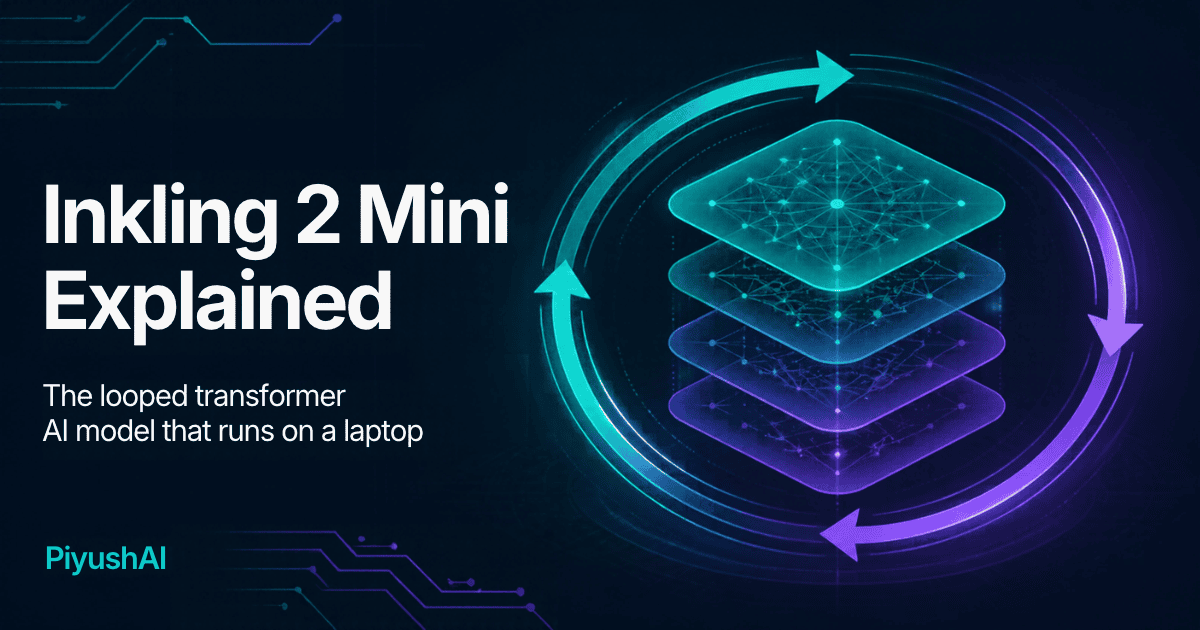
Inkling 2 Mini is Thinking Machines Lab's new Apache 2.0 open-weight model, released on 20 November 2026: 26.4B parameters, about 3.4B active, and a looped transformer that runs its middle layers three times. Here is how Inkling 2 Mini works, what independent tests show, its limits, and why it matters for Indian students.
Genie 4 is Google DeepMind's real-time world model, opened to developers in the Gemini API on 19 November 2026: playable 720p worlds with native audio at about $0.10 per second. Here is what Genie 4 is, how it works, its limits, the deepfake risks, and why it matters for Indian students.
Shirudo is a new open-source Linux security runtime from OpenAI and Cisco, announced on 23 November 2026, that uses AI agents to write signed, temporary "shields" against exploits until a real patch lands. Here is how Shirudo works, its demanding requirements, limits, risks, and why it matters for Indian students.
Learn Daily, Wherever You Are
Free lectures, exam updates, PYQ discussions, and job alerts — delivered through our YouTube channel and Telegram communities.