
Chapter 4 of the Class 6 AI unit is Ethics and Digital Responsibility, allotted 05 hours, and the single most important thing about teaching it is this: it is a discussion chapter, not a rules chapter, and it must not be pushed to the last week.
Of the four chapters in the 20-hour introductory AI block, this is the one schools most often treat as an afterthought — a list of dos and don’ts read out in the final period before the term closes. That is the standard mistake, and it wastes the only chapter whose content a student will still be using at twenty-five.
The other three chapters teach children how AI systems see the world. This one teaches them that the world sees them back. It sits inside the wider Class 6 CT and AI syllabus, which runs to 100 hours — 40 hours of computational thinking, 20 hours of introductory AI, and 40 hours of interdisciplinary projects. For the shape of the full rollout across Classes 3 to 8, see the curriculum overview.
Nothing here needs a device, an account, or a coding environment. At Class 6 there is no Python, no coding and no requirement to use any AI tool. Every activity below runs on paper, on a board, and on conversation.
What the syllabus actually says
The CBSE handbook lists the chapter in a single line:
“Ethics and Digital Responsibility — Basic online safety, privacy, passwords, and ethical use of technology; Understanding digital footprints” — 05 hours.
That is the whole entry. The order in the handbook line is not a teaching order, and reading it as one is where most plans go wrong. Digital footprints appears last in the sentence and must come first in the classroom, because every other idea in the chapter depends on a student already understanding that traces exist.
| Syllabus topic | Learning outcome for a Class 6 student |
|---|---|
| Understanding digital footprints | Explains that using a device leaves traces, distinguishes traces they chose to leave from traces collected automatically, and works out what a stranger could infer from a given post. |
| Privacy | Identifies information that should not be shared publicly, explains why a setting labelled “private” is not the same as secret, and judges what an app is being told about them. |
| Passwords | Explains what makes a password hard to guess, builds a memorable passphrase, and states why passwords are not shared even with close friends. |
| Basic online safety | Recognises a message designed to rush or tempt them, knows to stop and ask, and can name the adult and the helpline they would go to. |
| Ethical use of technology | Applies a share-or-not test to a real situation, gives reasons for the decision, and disagrees with a classmate respectfully during discussion. |
Note the verbs: explains, judges, recognises, applies. Not “lists”. A worksheet that only asks students to list five safety rules has not assessed this chapter.
The concepts, explained
Teach in this order: footprints, privacy, passwords, safety, ethics. Each one makes the next one make sense. If you start with passwords, students hear a chore. If you start with footprints, they arrive at passwords already wanting one.
1. Digital footprints — start here
A digital footprint is the trail left behind by using a connected device. Class 6 students grasp the idea in about ninety seconds. What they do not grasp — and what carries the whole chapter — is that the trail has two halves.
The half they know about is active: what they post, comment, upload, forward and search. The half they almost never guess is passive: where the device was, at what time, for how long, on which network, and what they scrolled past without tapping.
The question that opens this chapter properly is not “what is a digital footprint”. It is: think about one thing you or someone at home posted last month. What could a stranger who has never met you work out from it?
Let students answer. They will get there themselves: the school from the uniform, the locality from the building behind, the time from the light, the family size from who is tagged, the routine from the fact that the same photo appears every Saturday. That is a better lesson than any warning you could deliver, because they produced it.
Then extend it. A single post is one data point. Forty posts is a pattern — and pattern-finding is exactly what students studied in Chapter 3 on pattern recognition and decision making. The connection is worth naming out loud. Systems that spot patterns in data are not new to them; this chapter simply points the same lens back at the student.
2. Privacy — what a system can work out that you never told it
Privacy at this age is not about secrecy. It is about inference: the gap between what you handed over and what can be worked out from it.
Students accept that an app knows their name because they typed it. What surprises them is that an app can work out roughly when their school day ends, which language they think in, which three classmates they are closest to, and whether they are usually at home by seven — none of which anyone typed anywhere.
This is the natural place to reuse the vocabulary from Chapter 2 on basic data concepts. Inference is just data plus a pattern. If students can define data, they can understand why more data means more inference. The AI glossary is useful if you want consistent definitions across the four chapters.
Keep the Indian context concrete. A shared family phone means a footprint is rarely one person’s. A sibling’s WhatsApp used to log into a game means the game now sits alongside someone else’s contacts. A school WhatsApp group with a hundred parents is not a private space, whatever anyone calls it.
3. Passwords — long beats complicated
The standard password lesson tells eleven-year-olds to use capitals, numbers and symbols. It produces passwords that are hard for a human to remember and not especially hard for a machine to work through. Length is what does the work.
Teach one rule: four unrelated words you can picture. Purple mango temple ladder. Students can hold that in their head for a year; a short jumble of symbols they will write on the last page of a notebook by Thursday.
Three supporting points, and no more. A password is not shared, not even with a best friend, because a shared password stops being evidence of who did something. A password reused across five accounts means one careless site costs you all five. And a password written in the back of a school diary that travels in a bag is not a secret.
Deliberately absent from this chapter: anything about how guessing attempts are actually carried out. Students need to know that length matters. They do not need a method.
4. Basic online safety — skill, not fear
The tone here decides whether the chapter works. Eleven-year-olds who are frightened stop telling adults things. Eleven-year-olds who feel skilled bring you the odd message and ask what it is. You want the second class.
So frame safety as recognition, not danger. The common thread in almost everything a Class 6 student will meet is urgency plus reward. “Your KYC will expire today.” “Free recharge, only for the next ten minutes.” “You have won, claim before midnight.” A message that wants you to act quickly and feel lucky is the message to slow down on.
That is the whole heuristic and it is enough. Do not walk through how such messages are built or what makes them convincing — describing the machinery is not needed for recognition, and it teaches the wrong audience.
Three habits are worth drilling until they are automatic:
- Stop before you tap. No legitimate message loses its validity because you waited ten minutes to ask someone.
- Ask, don’t decide alone. A trusted adult at home or in school is always the first stop, and it is never too small a thing to ask about.
- Nothing you receive is your fault. Say this sentence out loud in class. Students hide messages because they expect to be blamed for getting them.
Students should be able to name the channels, even if they never use them. In India these are: the National Cyber Crime Reporting Portal at cybercrime.gov.in, the cyber-crime helpline 1930, and Childline 1098 for any situation where a child is unsafe or distressed. Put them on the classroom wall and on the inside cover of the notebook. A number you have seen a hundred times is a number you remember at the moment you need it.
5. Ethical use of technology — the share test
Ethics is the part teachers most want to convert into a list, and the part that dies fastest when they do. What works is a small set of questions applied to real, ordinary, low-drama situations — the ones students actually face, which are almost never dramatic.
Four gates, in order, applied before anything is posted or forwarded.
Gate 3 is the one that changes behaviour in Indian classrooms, because tagging classmates in photos and forwarding screenshots of someone’s messages are both routine and both fail it. Gate 1 is where forwarding an unverified message about a missing child or a hospital appeal belongs — kind intentions, unchecked source.
Then there is permanence. Students genuinely believe that deleting removes. Show them why that assumption is unsafe without any horror story attached.
Finally, permissions. This is the most practical five minutes in the chapter and the easiest to run without any device: read out an app and its permission requests, and ask the class to justify each one.
How to teach it — the five hours
| Period | Focus | In-class activity | What students leave with |
|---|---|---|---|
| 1 | Digital footprints | “What could a stranger work out?” — footprint audit on a fictional profile | Active versus passive traces, and one thing they had not noticed about their own posting |
| 2 | Privacy and inference | Ring diagram built live on the board; permissions justification round | The idea that data given leads to things worked out |
| 3 | Passwords | Passphrase-building workshop in pairs | One passphrase method they can actually remember |
| 4 | Online safety | “Should I forward this?” sorting with printed message cards | The urgency-plus-reward signal, and the names and numbers to report to |
| 5 | Ethical use | Four-gate test applied to five class scenarios; draft a class charter | A charter in their own words, signed by the class |
Period 1 must be digital footprints. Open with the fictional profile, not with a definition. Students spend fifteen minutes listing what they can deduce, then you name what they have been doing. The definition arrives after the experience, which is the only order that sticks.
Period 2 builds the ring diagram on the board with the class supplying the contents. Ask them what a food delivery app or a gaming app could work out about their household. Finish with the permissions round — you read the app, they vote and justify.
Period 3 is the only period with a technical answer, so keep it short and practical. Ten minutes on why length wins, twenty-five on building and testing passphrases in pairs. End by asking each student to think of one account at home that is protected by something weak — no names, no disclosure, just the thought.
Period 4 is the sorting activity. Resist the urge to add stories. The cards do the work.
Period 5 is discussion and the class charter. Do not read out a charter you wrote. A charter students argue their way to is one they will enforce on each other; a charter you dictate is a poster. If you want structured support for running discussion-led periods, see our CT and AI teacher training for CBSE.
Unplugged activities
Activity 1 — The footprint audit (fictional profile)
Time: 30 minutes. Materials: a printed one-page fictional student profile per group of four — six posts with captions, three tagged photos described in words, and a note of times and places. No screens.
- Hand each group the same fictional profile. Give it a name that matches nobody in the class.
- Groups list everything a stranger could work out. Ten minutes, no discussion between groups.
- Each group reports two findings. Write them on the board without judging any of them.
- Now sort the board list into active traces and passive traces. Most groups will have found only active ones.
- Add the passive traces yourself: the timings, the repeated location, the device. Ask what those add.
- Groups rewrite two of the six posts so the same content is shared with less given away.
Discussion question: which single post gave away the most, and was it the one that felt most personal?
Why fictional, always: never run this on a real classmate’s profile, even a volunteer’s, and even if the class is enthusiastic. It turns an exercise into an inspection of one child by thirty, it cannot be un-done afterwards, and the student who volunteers is rarely the one who can afford to. A fictional profile teaches exactly the same skill with none of that.
Activity 2 — Building a passphrase you will not forget
Time: 25 minutes. Materials: slips of paper in four bowls — objects, colours, places, actions — and a worksheet strip per student.
- Each pair draws one slip from each bowl and reads the four words aloud in order.
- They draw a quick picture of the absurd scene those four words describe. Ninety seconds, no artistic merit required.
- Pairs swap pictures. Can the other pair recover the four words from the drawing alone?
- Discuss why the strange combinations were easier to hold than the sensible ones.
- Each student now builds their own four-word phrase privately, writes it once on a strip, and folds it away. Nobody reads anybody’s.
- Collect the strips into a sealed envelope, or have students take them home. Do not display them, photograph them, or check them.
Discussion question: your phrase is now much harder to guess. What else would still have to be true for the account to be safe?
Make clear that the phrases built in class are practice phrases. Anything a student actually uses at home should be made at home, not in a room with thirty witnesses.
Activity 3 — Should I forward this?
Time: 30 minutes. Materials: a printed deck of about eighteen message cards per group, and three labelled trays: FORWARD, DO NOT FORWARD, ASK AN ADULT.
Card examples: a school notice from the class teacher; a message claiming free recharge if you forward it to ten people; a photo of a classmate that somebody else took; an appeal about a missing child with a phone number and no date; a “your KYC will expire today” SMS; a birthday wish; a screenshot of a private chat with a joke added on top; a game invitation asking for a login.
- Groups sort all cards into the three trays. Fifteen minutes.
- Every card in DO NOT FORWARD needs a written reason of one line.
- Groups compare. Find the cards where two groups disagreed and put those on the board.
- Apply the four gates to the disputed cards, out loud, one gate at a time.
- Agree as a class on the final placement of the disputed cards, or agree that they belong in ASK AN ADULT.
Discussion question: the missing-child appeal was kind and well-meant. Which gate did it fail, and does good intention change the answer?
These three activities also work as a starting point for a school-wide AI literacy programme for students beyond the CT and AI period.
Worksheet
Recall
- Define “digital footprint” in one sentence, in your own words.
- Give two examples of an active trace and two of a passive trace.
- What does it mean when an app asks you for a “permission”?
- Name three places in India where a student or a parent can report something frightening or suspicious online.
Apply
- Turn a weak password into a four-word passphrase. Explain in one line why the new one is harder to guess.
- A torch app asks for your contacts. Should you allow it? Give your reason.
- An SMS says “Your KYC will expire today, update immediately.” Write the three steps you would take, in order.
- Sort into share / do not share / ask an adult, with a reason for each: (a) your own drawing, (b) a class photo showing a classmate’s face, (c) a forwarded appeal about a missing person with a phone number.
Think
- A classmate posts a photo of you in school uniform standing outside your building, with the locality named. What could a stranger work out? What would you ask your classmate to do, and how would you ask?
- Explain to a younger child why “I deleted it, so it is gone” may not be true. Do not use the word “internet”.
- A friend gives you his gaming password so you can play on his account. Give two reasons this is a bad idea, and make sure one of them is not about anyone breaking in.
- Someone in the class group posts a screenshot of a teacher’s message with a joke added on top. Work through all four gates and give your verdict.
- A relative wants to post a photo of your report card in the family group. What would you want them to check first, and why might you feel differently about it than they do?
Answer key
1. Any answer meaning “the trail of information left behind when you use a connected device”. 2. Active: a post, a comment, an upload, a search. Passive: location, time spent, device model, what was scrolled past. 3. The app is asking to reach a part of the phone that is not its own — camera, contacts, location, files. 4. cybercrime.gov.in, helpline 1930, Childline 1098; a trusted adult at home or school is the first stop, and the school’s named person counts.
5. Accept any four unrelated words. The reason must mention length, not complication. 6. No. A torch needs the flash, which sits with the camera. Contacts do not help it produce light, so the request has no job-related justification. 7. Do not tap the link; show it to a parent or guardian; if action is genuinely needed, use the bank’s own app or branch, never the link in the message. Accept any answer with “do not tap” first.
8. (a) Share — it is yours and identifies nobody. (b) Ask, then share only with the classmate’s agreement — Gate 3, it is not yours to share. (c) Do not forward — Gate 1, the source and date cannot be checked, and forwarding an old or false appeal causes real harm to whoever owns that phone number. Good intentions do not repair a failed Gate 1.
9. A stranger could work out the school from the uniform, the neighbourhood from the building, and with a few such photos, the route and the timing. The ask should be described as a normal private request — “could you take that one down, it shows where I live” — not as a complaint. Credit answers that keep it low-drama.
10. Look for: it is removed from your own copy, but other people may already have copies or screenshots, and you cannot reach those. Credit any answer that separates “my copy” from “their copy”. 11. First, anything done on that account now looks like his doing, so he carries the blame for your play; second, if he uses that password elsewhere, he has handed you more than one account without meaning to. Also credit friendship-based reasoning about what happens when the friendship changes.
12. Gate 1 true — probably yes, it is a real message. Gate 2 kind — no. Gate 3 mine to share — no, the teacher wrote it privately. Gate 4 identifies — yes, it names a person. Verdict: do not share. Note that failing Gate 2 alone was already enough, and that “it was true” is not a defence.
13. Whether the photo shows a roll number, school name, address or phone number; whether the student is comfortable; and who is in that group. Accept the point that adults often treat a child’s achievement as family news while the child experiences it as personal information — both views are reasonable, and the child should be asked.
Common misconceptions
| What students or teachers believe | What is actually true | How to correct it |
|---|---|---|
| Deleting a post removes it | It removes your copy. Screenshots, forwards and stored copies made in the first hour are beyond your reach. | Use Figure 5. Ask the class how many of them have a screenshot of something the sender later deleted. Hands go up. |
| A private account means what I post is private | It limits who sees it first. It does nothing about what those people do next, and the platform still holds the data. | Ask: how many people are in your “private” list? Now ask how many of those thirty you would trust with a house key. |
| A strong password is a complicated one | Length does most of the work. A long memorable phrase beats a short jumble. | Figure 3, then the passphrase activity. Let them feel how much easier the long one is to recall. |
| If I have nothing to hide, privacy does not matter | Privacy is not about hiding wrongdoing. It is about choosing who knows what, and about not handing strangers the pieces that combine into something useful. | Ask whether they would read out their marks to the class, or hand their diary to a stranger. Nothing to hide, still not for sharing. |
| Only careless people get scammed | Messages are designed to work on people who are busy, hurried or hopeful. Being caught out says nothing about intelligence. | Say plainly that adults in every family fall for these. Removing shame is what makes a student tell you early. |
| Ethics is the chapter you cover if time permits | It carries the longest-lasting content in the 20-hour AI block and needs its full five hours. | Timetable it as Periods 1 to 5 of the block’s back half and protect them the way you would protect lab periods. |
| Students must have their own device for this chapter | Nothing here needs a device. Shared family phones are the norm and the activities assume no personal account. | Run all three unplugged activities on paper. Nobody logs in to anything. |
Assessment
Assess reasoning, not compliance. The evidence you want is a student explaining why a share fails a gate, not a student reciting five rules. Useful artefacts: the rewritten posts from the footprint audit, the one-line reasons on the sorting cards, the class charter, and the scenario answers from the worksheet.
At this stage the subject is competency-based and largely internal to the school. Do not build a separate written examination around this chapter unless your school’s own scheme requires one, and do not invent a marks weighting for it.
One rule that is not negotiable: a student’s own online behaviour must never be graded. No marks for having a private account, no deduction for having posted something unwise, no assessment that requires a student to disclose what they have done online. The moment marks attach to disclosure, students stop telling the truth and the chapter stops working.
| Criterion | Beginning | Developing | Secure |
|---|---|---|---|
| Understands digital footprints | Names a footprint as “things you post” | Distinguishes active and passive traces with prompting | Identifies passive traces unprompted and explains what they reveal together |
| Judgement in scenarios | Gives a verdict with no reason | Gives a verdict with one reason | Names the failed gate, explains the harm, and holds the position when challenged |
| Reasoning about privacy and permissions | Says an app “takes your data” | Says which permission is unnecessary | Ties each permission to the app’s actual job and explains what could be inferred |
| Participation in discussion | Listens, rarely contributes | Contributes an opinion | Disagrees with a classmate on the reasoning, not the person, and changes position when shown a better argument |
The fourth criterion matters as much as the first three. A class that can disagree well is the outcome this chapter is really after. For assessment design across the whole unit, see our AI literacy for teachers material.
What the school must have in place
Teaching a child to report is pointless if there is nobody to report to. Before Period 1 runs, four things should exist. Only the general obligation to keep students safe is a formal requirement; the specific arrangements below are good practice recommendations, not CBSE rules, and you should shape them to your school.
- A named person. One teacher or counsellor, named on the noticeboard, whom students know they can approach. Not “any teacher” — a name. Students do not approach a category.
- An acceptable-use note shared with parents. One page, in the language parents read, covering what the school will and will not do with student data and what to do if something goes wrong at home. Send it before the chapter, not after an incident.
- Staff who know the channels. Every teacher who takes this class should be able to say cybercrime.gov.in, 1930 and Childline 1098 without looking them up, and should know that a trusted adult is the first stop for a child.
- No public display of student data. Full names with photographs and class sections on a public website, marks lists on an open noticeboard, admission numbers in a WhatsApp group with a hundred parents. A school that teaches footprints in the classroom and publishes student data on its homepage has taught the opposite lesson.
That last point is the one schools miss. If you want a structured view of where your school currently stands, the school AI readiness score covers governance alongside teaching capacity.
Interdisciplinary links
Forty of the 100 hours in Class 6 are interdisciplinary projects, and this chapter feeds them more naturally than any other. The material is already about people, so it connects to almost every subject without being forced.
- Languages — draft the class digital charter as a persuasive writing task. Students argue for their clause, edit for tone, and produce a version in the school’s second language so it can go home to every family.
- Social science — rights and responsibilities. What does it mean to have a right to privacy, and what responsibility does that place on you regarding somebody else’s? Connect it to the everyday idea of consent.
- Mathematics — a class survey of screen time. Collect, tabulate, find the mean and the mode, and discuss why the mean misleads when two students report very high figures. This pairs directly with Chapter 2.
- Science — how signals and devices carry information, and why a device that is “off” may still be reachable. Keep it descriptive.
- Art — a poster campaign for the corridor. One rule: the posters must empower, not frighten. Reject any design that uses a threatening image. That constraint is itself the lesson.
The computational thinking half of the year supports all of this. Breaking a scenario into gates is decomposition; spotting the urgency-plus-reward signal is pattern recognition; the four-gate test is algorithmic thinking applied to a human decision; and deciding what to strip from a post before sharing it is abstraction. Say those words in class. The transfer is the point of the whole CT and AI programme.
Frequently asked questions
Is Chapter 4 assessed in a written examination?
At this stage the subject is competency-based and assessment is largely internal to the school. Follow your school’s own scheme. Do not assume a board-style written paper, and do not quote a marks weighting for this chapter unless your school has set one.
Do students need devices or online accounts for this chapter?
No. Every activity here runs on paper. Many Class 6 students share a family phone and have no account of their own, and the chapter is designed so that this is not a disadvantage. Nobody should be asked to log in to anything.
Should we teach this chapter last, since it is Chapter 4?
The number is a sequence in the handbook, not an instruction to leave it until the end. In practice, scheduling it last is how it gets squeezed into one rushed period. Protect all five hours, and if your timetable is tight, borrow from elsewhere rather than from here.
What if a student discloses something serious during the discussion?
Do not handle it in front of the class and do not press for details in the room. Acknowledge it briefly, move the lesson on, and speak to the student afterwards. Then involve the school’s named person and the parents. The reporting channels are cybercrime.gov.in, the helpline 1930 and Childline 1098. Know this route before you teach the chapter, not during it.
Can we use a real classmate’s profile for the footprint audit?
No, and this holds even when a student volunteers. It turns a skills exercise into a public examination of one child by the whole class, and it cannot be undone afterwards. A fictional profile handed out by the teacher teaches exactly the same skill safely.
How do we involve parents without alarming them?
Send the acceptable-use note before the chapter starts and describe it as skill-building, which it is. Offer one short parent session covering passphrases, permissions and the reporting numbers. Parents mostly want to know what to do, not to be told the world is dangerous. The same framing works for what comes next in the Class 7 CT and AI syllabus.
PiyushAI builds teaching material for the CBSE Computational Thinking and Artificial Intelligence curriculum, founded by Piyush Wairale (IIT Madras). Start with the CT and AI pillar guide, the 2026–27 curriculum overview, or the Class 6 syllabus breakdown. Schools preparing staff can look at CT and AI teacher training.
Related: Chapter 1 — Introduction to AI and everyday examples · Chapter 2 — Basic data concepts · Chapter 3 — Pattern recognition and decision making · Class 5 syllabus · Class 7 syllabus · AI glossary
Source: CBSE Computational Thinking & Artificial Intelligence handbook, Class 6 (2026–27), cbseacademic.nic.in.
Recent Post
An hour-by-hour plan for teaching NCERT's 20-hour Computational Thinking and AI module to Classes 9 to 12, based on the official Note for the Teacher. Covers the three activity modes, core and enrichment activities for every hour, Curious Notebook assessment, handling sensitive topics, and practical tips for schools with no computer lab.
Train and Break is the main hands-on activity in Unit 2 of NCERT's Computational Thinking and AI module for Classes 9 to 12. Here is how to run it step by step, both as the unplugged Human Classifier and on a free image-classifier tool, plus the concepts it teaches (training, validation, test and live data, overfitting) and the Curious Notebook write-up.
Unit 3 of NCERT's Computational Thinking and AI module, "When AI Gets It Wrong", teaches Class 9 to 12 students why AI is confidently wrong, how deepfakes work, the three reader biases, and the Five Checks: Source, Claim type, Compare, Pause and Confidence. Full explainer with the Hallucination Hunt activity and answers to the unit's key questions.
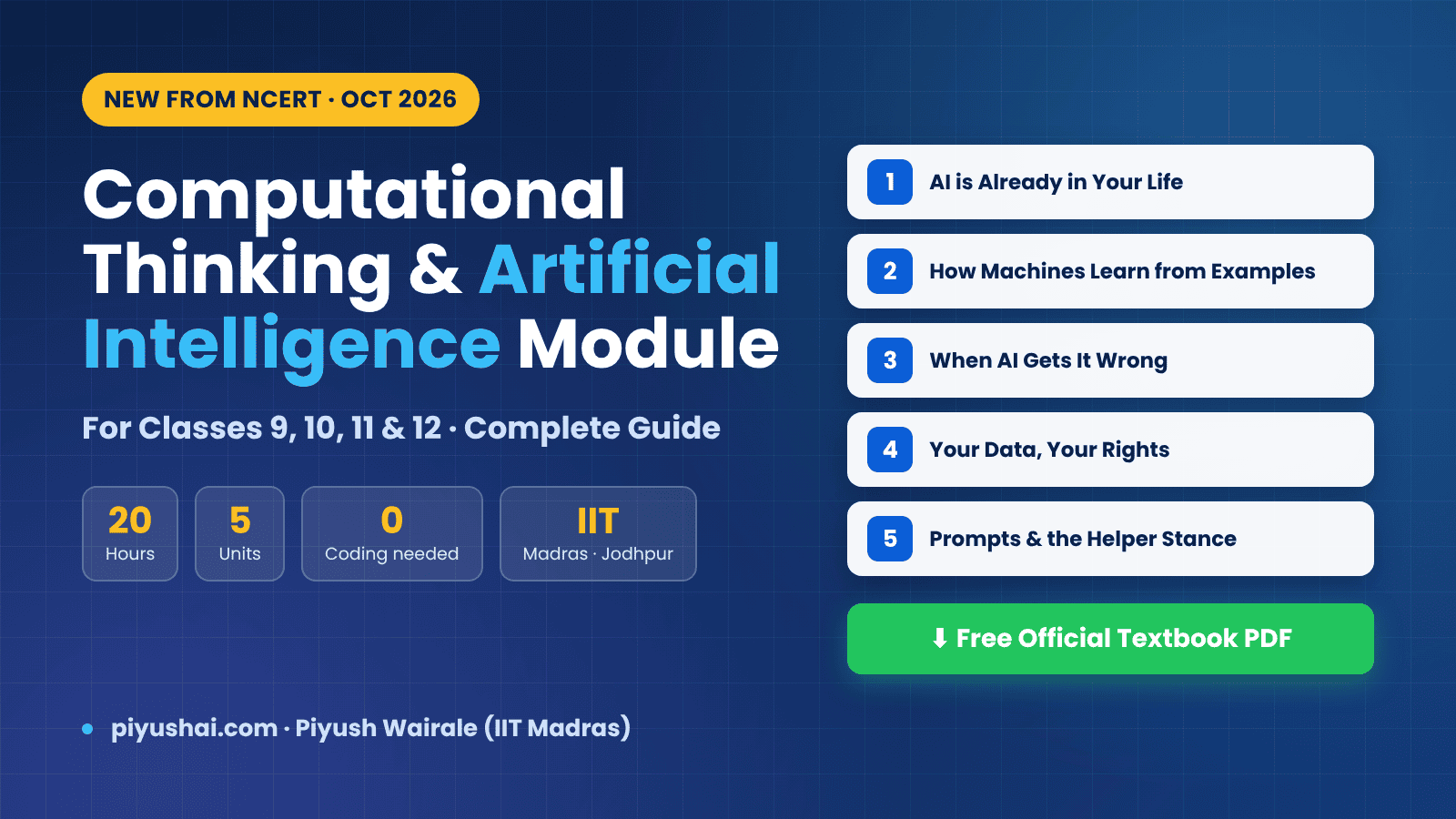
NCERT has released a 20-hour, five-unit Computational Thinking and AI module for Classes 9 to 12, developed with IIT Madras and IIT Jodhpur. Here is the complete unit-wise breakdown, the 20-hour plan, the Five Checks, the Curious Notebook assessment, and the official NCERT textbook PDF download.
CBSE Class 6 AI Chapter 3 gives five hours to simple pattern recognition and decision making. This guide covers what the syllabus asks, six diagrams you can copy to a blackboard, a period-by-period plan, three unplugged activities, a worksheet with answers, misconceptions, a rubric and interdisciplinary project ideas.
Chapter 2 of the CBSE Class 6 AI syllabus covers basic data concepts in five hours: the four data types, and organising and representing data using tables and charts. This guide gives a period plan, six diagrams, unplugged activities, a worksheet with answer key, misconceptions, a rubric and interdisciplinary project ideas.
Learn Daily, Wherever You Are
Free lectures, exam updates, PYQ discussions, and job alerts — delivered through our YouTube channel and Telegram communities.